

An Equipment template is related to a Power Equipment drawn in the Single Line.
An equipment drawn in the single line is composed of multiple Equipment Functions. Equipment functions are either :
-
Intrinsic equipment function.
Intrinsic equipment function is part of the unitary library element Equipment while Equipment function template are referred by the Equipment and can be shared across multiple Equipment.
If all the equipment functions are intrinsic to the equipment the equipment template can be seen as a basic library element because all the composed element (Equipment function) are part of the Equipment itself.
If at least one Equipment function is an equipment function template the equipment can be seen as a
Content
All the following information related to Equipment are stored in the library:
-
Single line representation of the equipment
-
Equipment properties
-
Contained equipment function template
-
intrinsic Equipment function
Then Equipment Template can be composed of other library element template (Equipment function template)
Representation on library
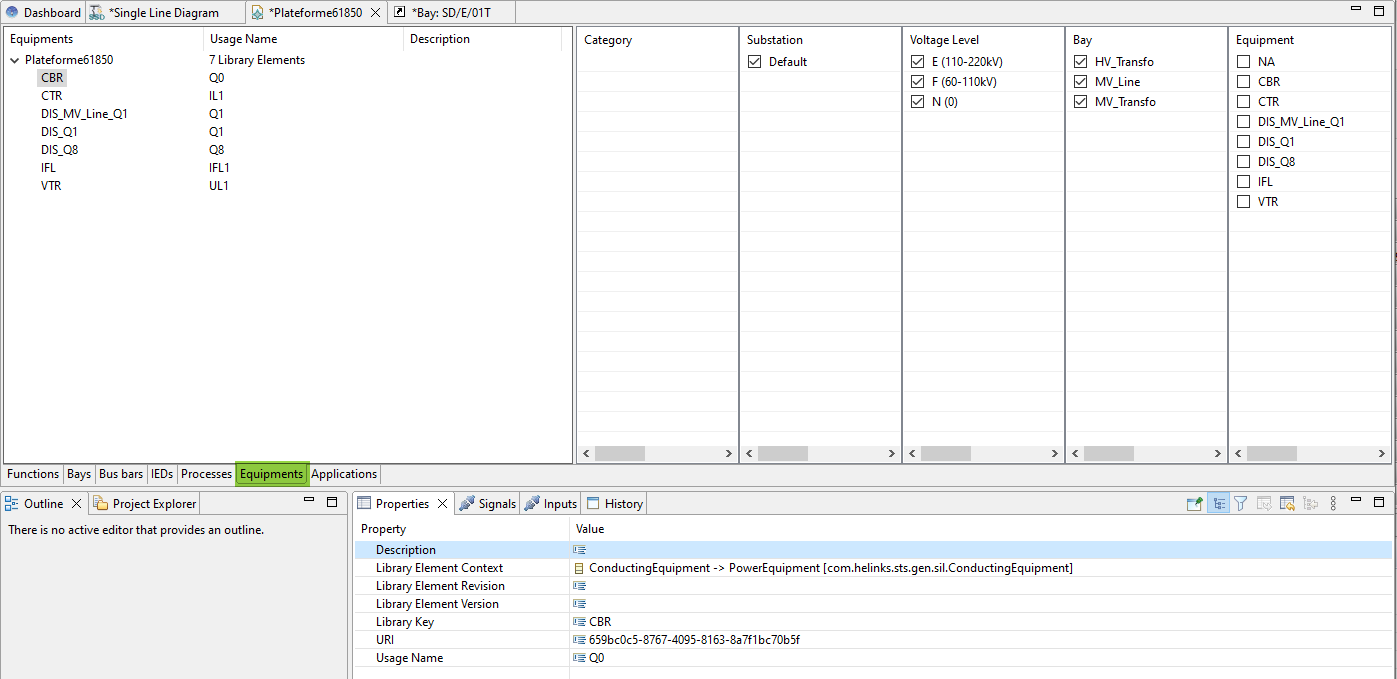
The Equipment is exposed on the library within the Library Manager over the Equipments tab.
Add to library
The add process is done with a right mouse click on the Equipment and using the contextual menu add to library.
Because this element can be composed of other element (Equipment function) the related information about the sub element are shown and handled in the adding dialog.
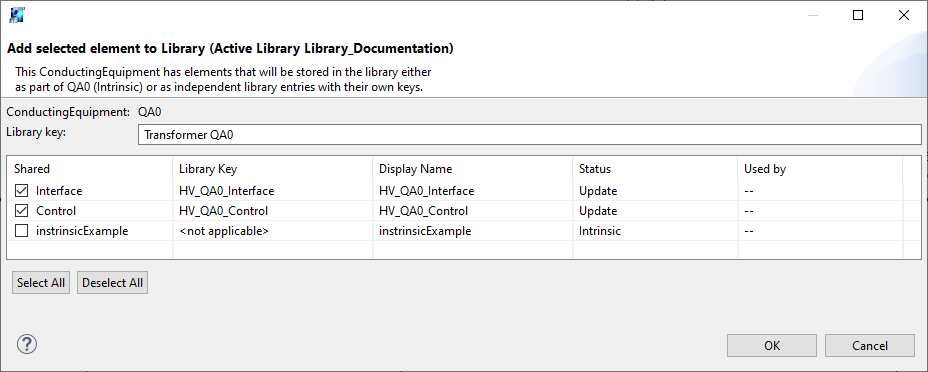
Re-adding an equipment to the library will overwrite the library definition with the current state of the equipment.
Update from library
Changes to the library element can be manually propagated to other instantiated element that use the same template by selecting the action ‘Update from Library’ in their right-click menu.
The “update from library” should be seen as a complete override of the existing element instance by the current version of the element template from the library.
Note that the ‘Template’ field in the properties of the element is editable, and the ‘Update from Library’ action will refer to the current value of that field.
Currently there is no Template versioning concept and automatic template changes propagation concept. If you update a template and you would like to propagate this change to all instances element of this template. You should apply again this template to the already created element or simply recreate said element.
Usage
After an equipment has been added to the library, its ‘Template’ property will show the library key, and the equipment becomes available in the area of the editing palette on a dropdown list of the Equipment type :
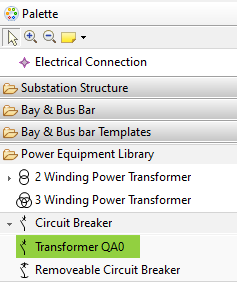
These tool entries will then produce a duplicate of the original equipment at the time when it was added to the library.
To accommodate for implementation variants, when an equipment with multiple equipment functions is created, a dialog with the contents is shown.
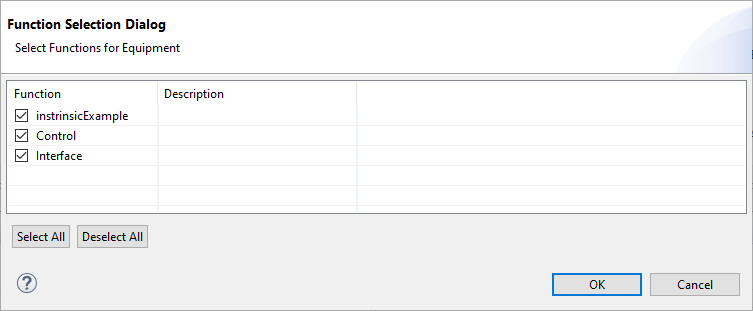
Deselecting checkmarks in this dialog will omit the deselected equipment functions from the new instantiated equipment.
In this case, the library element should contain the superset of all functions that are used by variants. For this reason, ‘Update from Library’ will only update existing equipment functions to preserve the variant. Should a new equipment function be added to an existing equipment library element, it will need to be created manually for all equipment instances that require it.