

The Applications button of the Dashboard opens the Application view where you can inspect existing applications or create new ones.
The Application Editor is divided in two part :
-
The application list : where you can select and customize an existing application
-
The application detail : where you can view the content of the application
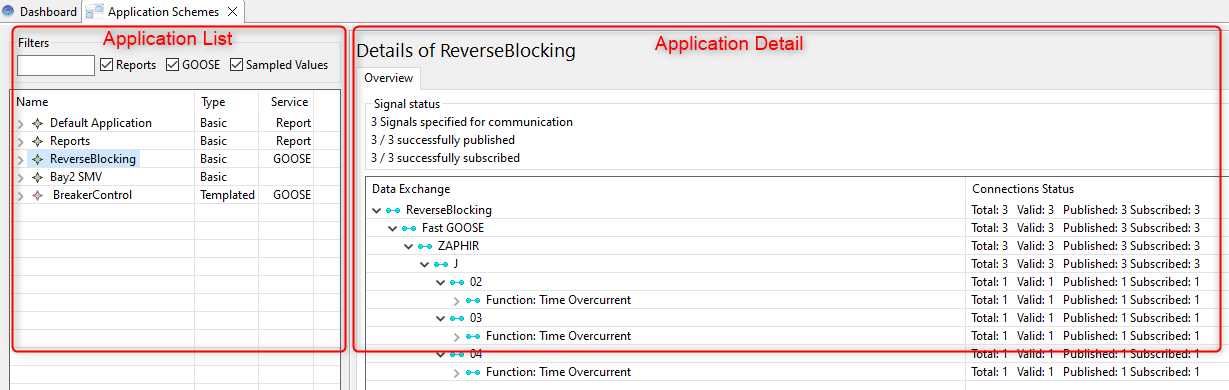
The application list shows both basic applications and templated applications. This section of the manual covers basic applications, for a full explanation of templated applications, see Application Templates
Application structure
In Helinks STS an application is a set of signals and their respective recipients, along with required parameters.
An application can be represented with a simple signal exchange view :
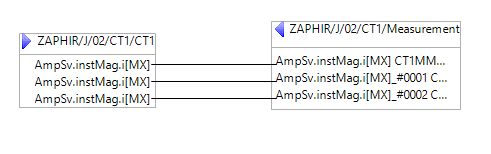
Where you can see each signal exchange represented by a link between a source and a sink. The source is a signal specified under a function and the sink is represented by an input in a function.
Application List
The application list shows the list of all the applications present in the project.
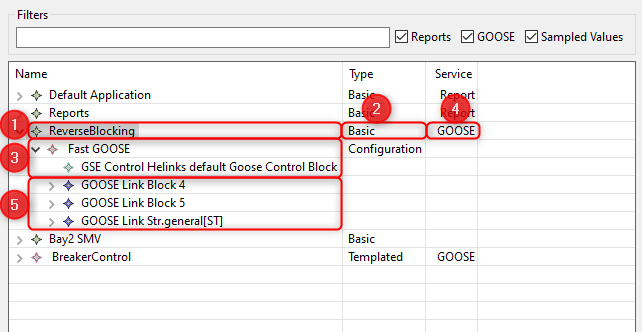
For each application you have several information :
-
The application itself
-
The application type can be Basic or Template if the application is based on a library
-
The service used in this application (e.g. GOOSE, SV, Report) and some parameters to configure the service
-
The service type
-
The signal links list.
Application detail panel
The details panel shows where the source signals are defined in the specification, and which receiver is configured.
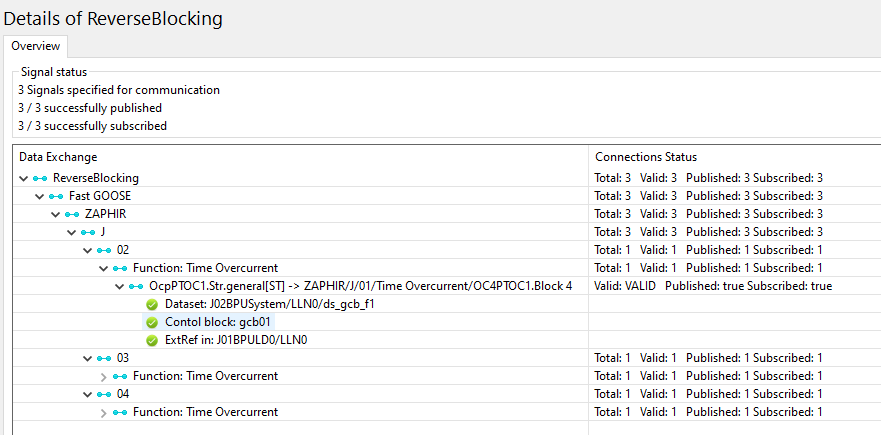
In addition to the specification, there is implementation data available: The three elements ‘Dataset’, ‘Control block’ and ‘ExtRef’ show us that the specified signal connection is fully implemented by both publishing and receiving IED.
The “Connections Status” column contains summarized information on the intermediate levels about the implementation status of a given signal. A signal is VALID if both publishing and subscribing is implemented correctly, VALID_PUBLISHED if publishing is implemented correctly, and INVALID otherwise.
Documentation
As with elements in the single line diagram, the Document reference can be configured with a ‘.doc’ file that contains a description of the application to be included in the project report.
Service configuration
The property sheet entries of an application service are used to create the implementation of the exchange. The Service also contains a configuration object ( in the above example, GSE Control ). The properties of the configuration object correspond to attributes that are part of the implementation, and can be directly found in the resulting SCL output file.
Parameterized Communication Settings
Communication parameters such as App ID, MAC Address, and others can be parameterized using variables. This allows the same application template to produce different values depending on the context in which it is instantiated.
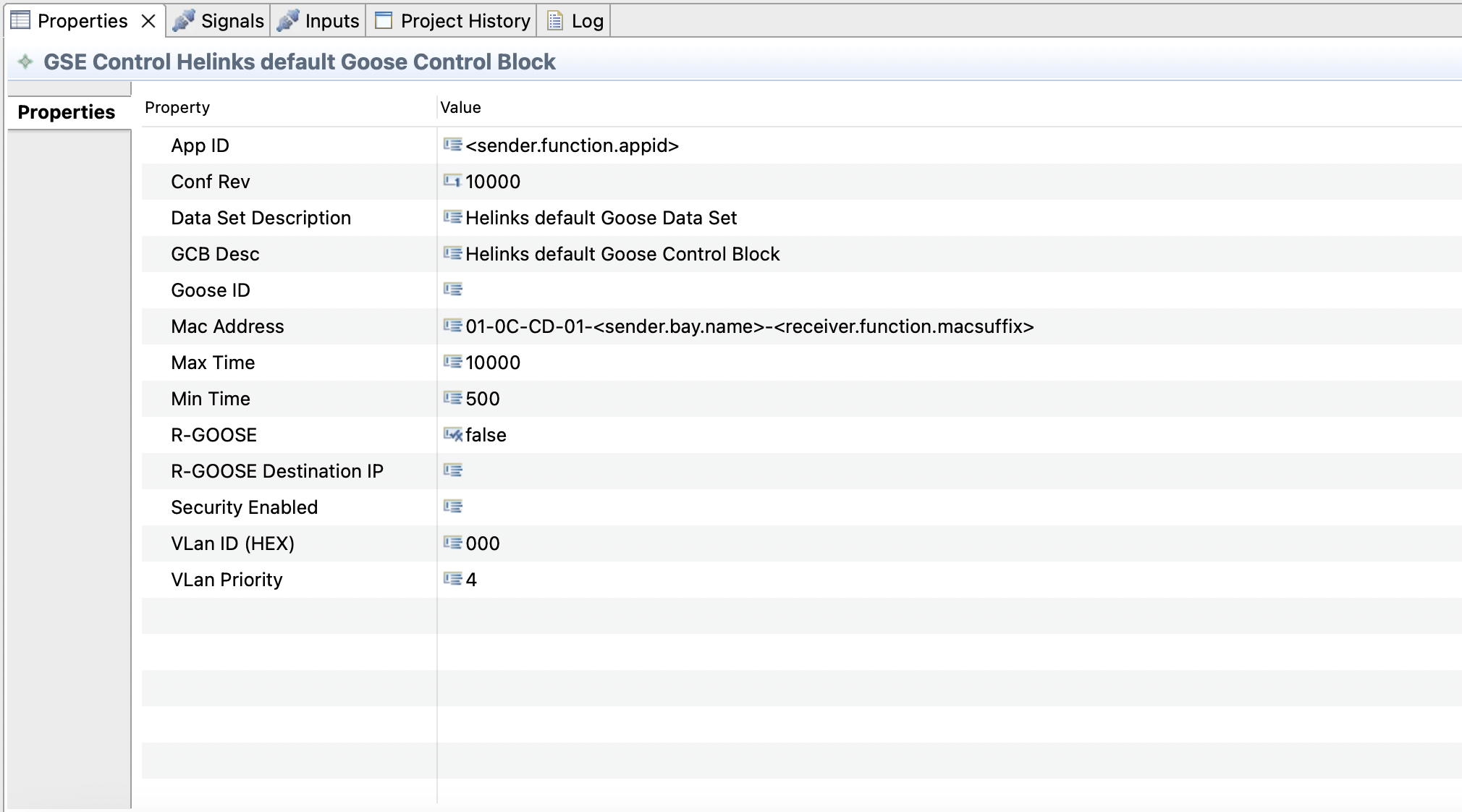
Variables are resolved at instantiation time based on the actual sender and receiver context. The addressing follows regular STS variable syntax, with the exception that the context object must be prefixed by either sender. or receiver., to indicate whether the sending signal or the input should be used as the data source.
Complex formulas can be composed using the Context Formula Editor, which allows combining static text segments with variable references by dragging fields into the formula list.
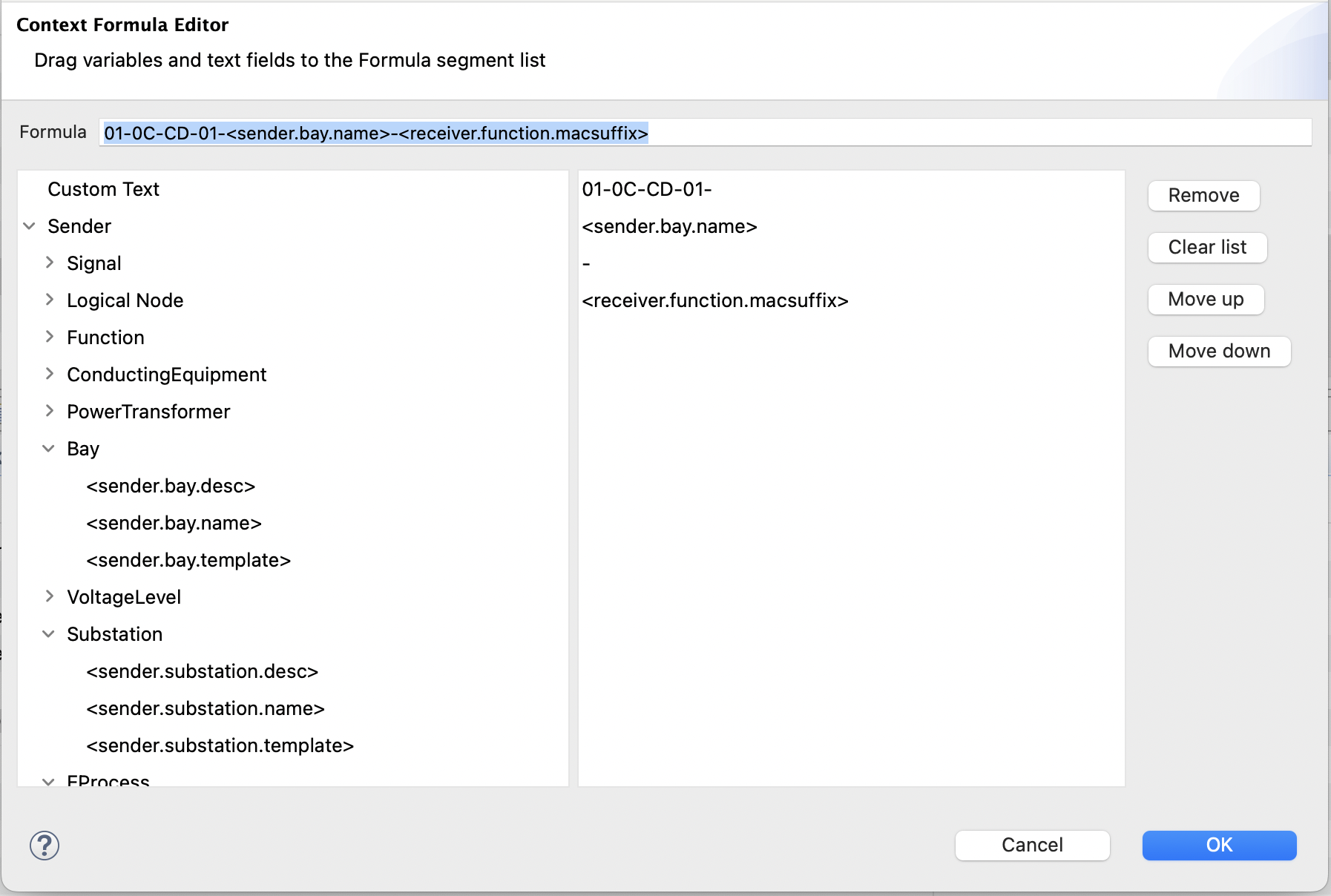
Specifying conflicting values will result in an error. For example, if signals are sent from multiple bays using a single service configuration, a variable expression involving <sender.bay.name> can typically not be resolved to the same value for all signals.