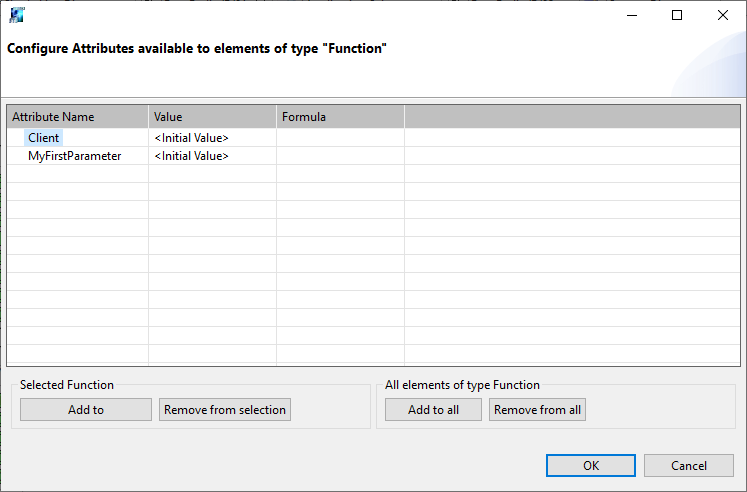
Helinks STS is able to attach utility specific information on multiple graphical elements :
-
Substation
-
Bay
-
Equipment
-
Function / Equipment function.
-
Application
-
IEDs
With a right mouse click on the element you have access to the menu items ’extended parameter'.
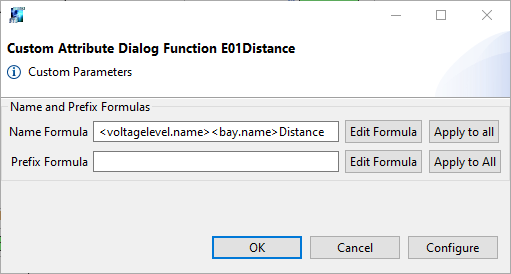
These extended parameters can be used for several goals like :
-
Element naming based on formula
-
LnPrefix based on formula
-
Customization of the signal list based on a utility package.
-
Customization of the calculation of 104 addresses
Element naming
This will impact the related element name.
You can use the Edit formula based on hierarchies element and relation properties.
LnPrefix
This will impact the related element LNode specification prefix.
You can use the Edit formula based on hierarchies element and relation properties.
Other Extended Parameter
You can use the Config button of the extended parameter dialog to create new parameters.