

The Communication editor is a user friendly representation of the Helinks STS internal SCL data model.
The Communication editor is available from the dash board button “Communication Editor”.
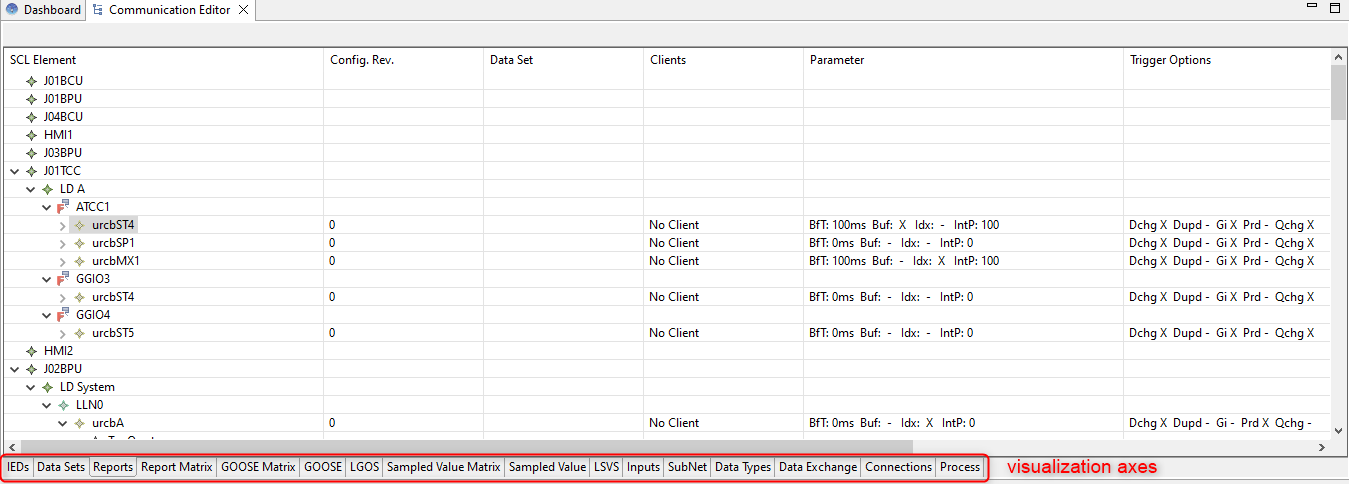
It always represents the complete data model of the current project but over multiple visualization axes :
-
IED Shows for each IED of the project a tree view of the SCL IED elements
-
SubNet Matrix Shows a matrix overview of all IEDs and their subnetwork connections, including access points, IP addresses, and communication service counts
-
Data Sets Shows for each IED of the project a tree view of the SCL Dataset elements
-
Report Shows for each IED of the project a tree view of the SCL Report Control Block elements
-
Report Matrix Shows a Matrix representation of the report exchanges
-
GOOSE Matrix Shows a Matrix representation of the Goose exchanges
-
GOOSE Shows for each IED of the project a tree view of the SCL Goose Control Block elements
-
LGOS Shows for each IED of the project a tree view of the SCL LGOS elements
-
Sampled Value Matrix Shows a Matrix representation of the Sampled Value exchanges
-
Sampled Value Shows for each IED of the project a tree view of the SCL SV Control Block elements
-
LSVS Shows for each IED of the project a tree view of the SCL LSVS elements
-
Inputs Shows for each IED of the project a tree view of the SCL Inputs/ExtRef elements
-
Subnet Shows for each subnet of the SCL Communication section a tree view of the SCL SubNet elements
-
SubNet Matrix Shows an grid of IEDs as rows and SubNet with connected access point names, IP addresses and GSE / SMV elements as columns.
-
DataTypes Shows the datatype template section of the SCL
-
DataExchange Shows a tree view representation of the project application exchange.
-
Connections Shows a substation section representation of each signal used in communication exchange
-
Process Shows the process section of the SCL
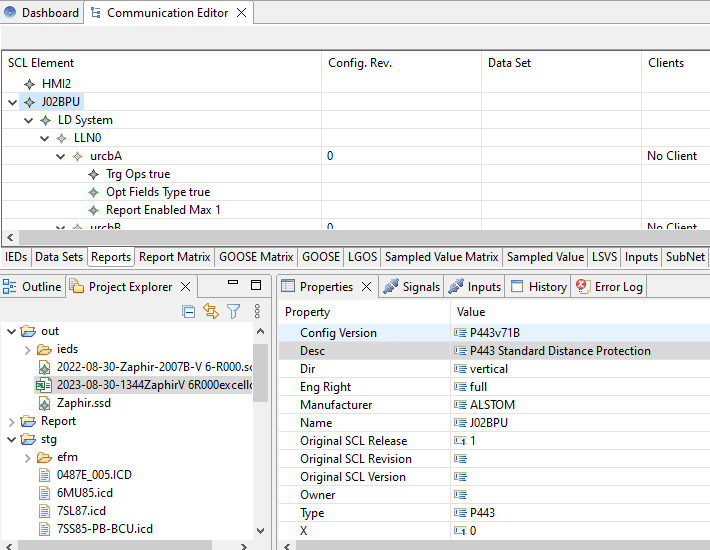
When an element is selected on the detail view of the Communication editor the related property can be visualized in the properties view.
Please note that the information contained in the Communication Editor is established by the choices made in the other editors (SLD Designer, 61850 Configurator, communication generation, …).
The Communication Editor allows to Edit the SCL structure of your project. Be careful, some modifications may make your project invalid (e.g. deleting a Logical Node type).