

|
Date |
|
|
Version |
STS-3.13.0 |
New Features
Application Template Editor
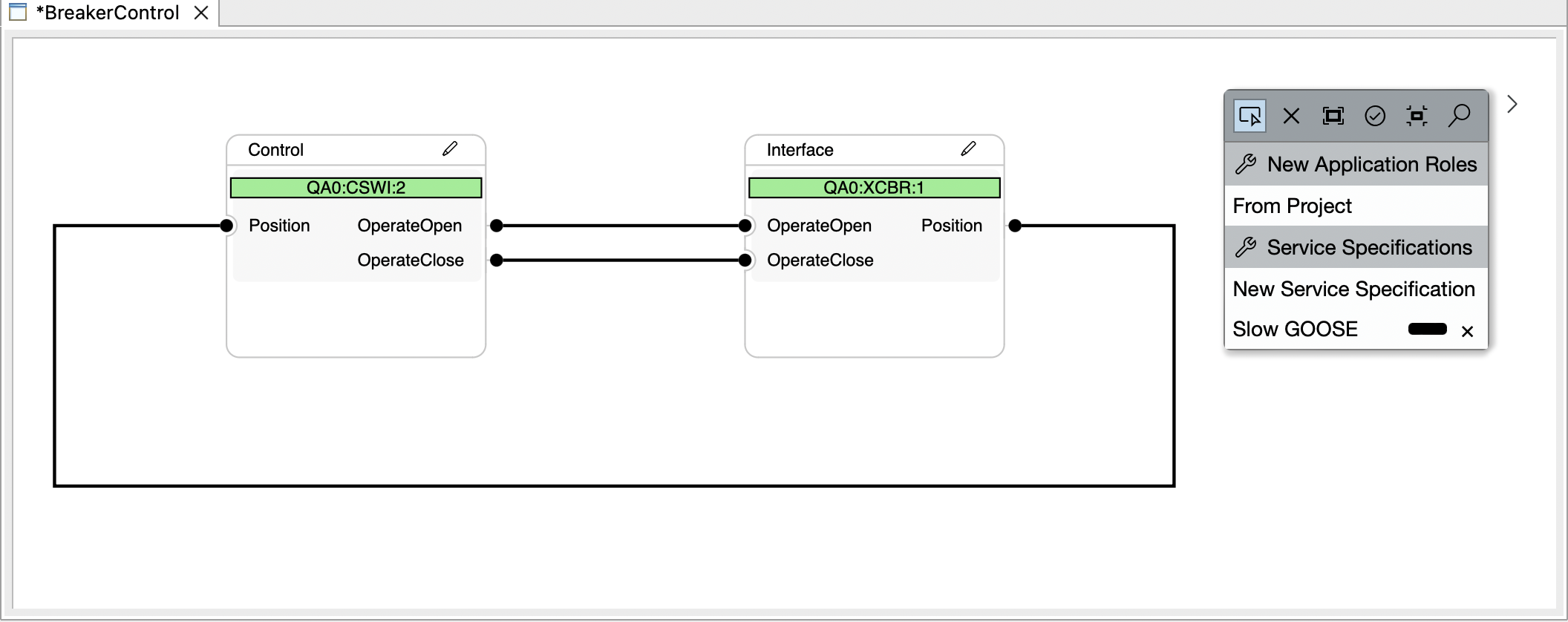
The new Application Template Editor is now available in the application view, both via a double-click or the context menu of an application template. It allows you to open up a diagram where you can view and edit the internals of an application template. Here you can extend your template with additional participants, signals, fine tune the rules that control the templates automation, and control the naming of signals and inputs that are created by your application template when required.
Log View
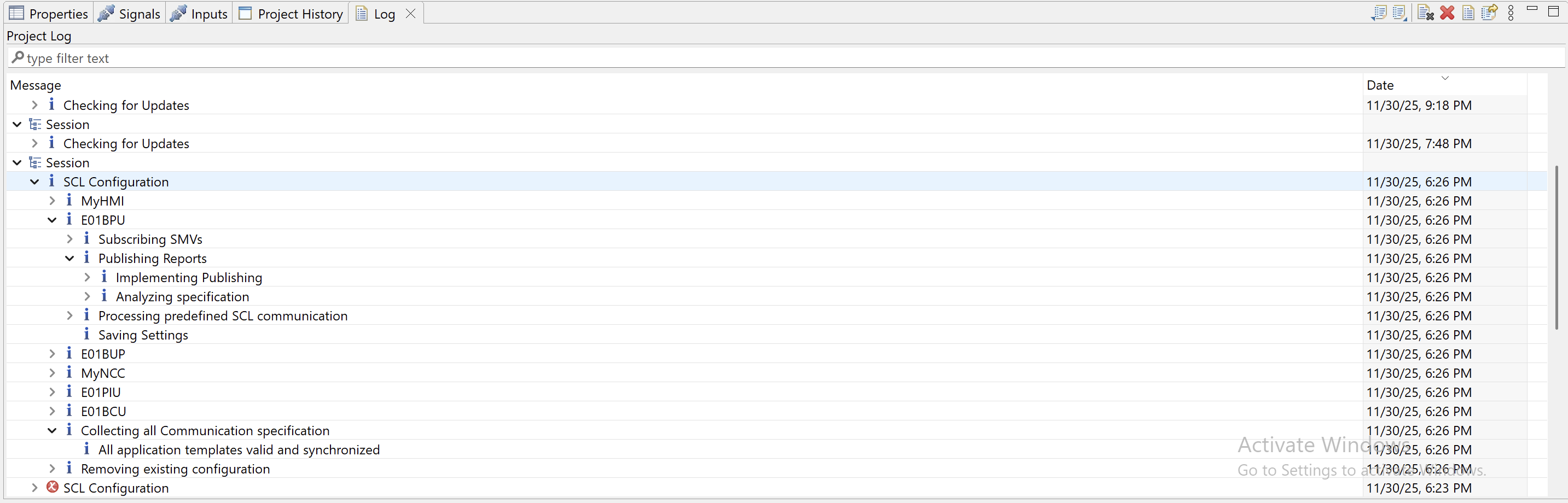
The Log View is a new tab that by default resides in the lower portion of the workbench. It persists log messages that arise from user action, such as synchronising SCL Communication or importing Excel files.
New Licensing System
Starting from this release, Helinks STS is adopting a new licensing system that is based around license keys. Upon first running the new release, the user will be asked to enter a license key. Users can find their license keys by logging into www.helinks.com.
For help with the activation, please look at our activation guide.
Improvements
Single Line and Function Diagram
-
Click-and-drag motions when instantiating palette elements are no longer possible except for Busbars.
-
Add a label to the filter button in the MMS Receiving Inputs dialog.
Data Migration
-
When migrating to a newer data model, STS will no longer show multiple log result dialogs if multiple migrators have run. Instead, only one log dialog will be shown.
System Diagram
-
When the user presses cancel during AccessPoint selection while connecting an IED to a network in the System Diagram, STS will no longer create the connection anyways.
Applications
-
Improve visual appearance of the ‘Properties’ view while Applications View, or in the Application Template Editor and the Application Editor.
Bug fixes
Single Line and Function Diagram
-
Disallow opening function diagrams for Conducting Equipment (except Power Transformers).
-
Pressing Undo right after creation of an element no longer leads to the element being unnamed.
-
Fix inconsistent Logical Node Instance numbers after changing a function to be “Suppressed in SCL”.
-
Fix inconsistent Logical Node Instance numbers after copy & pasting a function or Logical Node.
-
Disallow creation of Power Transformer functions in a Substation’s function diagram. Power Transformers now have their own Diagram and all functions related to the Power Transformer should be in the diagram.
-
Fixed the ‘Select All' button in the MMS Inputs dialog not working correctly.
-
Fixed a bug where the Input dialog of a logical node would not update correctly and not respect ‘cancel’.
-
Fixed a bug where removing an input in the Input dialog of a logical node would not update the other tables of the dialog correctly.
-
Fixed a bug where IED mappings using variants got lost during unmap/remap operations.
-
Fixed a bug that prevented electrical connections starting at Power Transformers.
-
Fixed a bug where deletion of an electrical connection could lead to a blocked Terminal of Primary Equipment
-
Fixed a bug where crafting an IED with nested Logical Devices would not set the GrRef DOI correctly to reflect Logical Device nesting.
-
Fix a bug where clearing the name formula of an element would not actually update the formula correctly.
-
Fix a bug where selecting the same data object/data attribute twice lead to only one signal in the Logical Node.
Applications
-
Fixed a bug where the ‘Data Flow’ tree did not update correctly.
-
Deleting a signal from the specification diagram left residue in application templates that were using it, causing validation errors.
-
Application templates with certain conditions did not show proper UI text.
Library
-
Setting an empty library key will no longer crash the ‘Add to library’ dialog of Bays, Busbars, Equipment, Virtual IEDs.
-
Fix functions added to library through Virtual IEDs not showing up in the current Bay’s type palette.
-
Editing the Library Usage Name of a function no longer affects the Library Key of the function.
-
Fix the Library Manager showing ‘dirty’ right after opening a new library.
-
Fix the Library Manager showing ‘dirty’ right after saving.
-
Editing the Library Usage Name of an element in the Library Manager will now update the palette of the Single Line and Function Diagrams accordingly.
-
Newly instantiated functions from the Library will now be named after the Library Usage name of the function in the library.
Communication
-
Fixed a bug where certain ExtRef elements would show ‘No publisher’ in the ‘Inputs’ tab.
Excel Import/Export
-
Excel export used the wrong data source for the ‘Specified Data’ column crashed when encountering logical nodes that were “implemented differently”.
-
Fixed a bug where 104 addresses could not be resolved correctly during Excel export.
System Diagram
-
Fix copy & pasting an IED not actually copying the data model of the source IED.
Others
-
Fixed a bug that caused unzipping of STS project archive to fail.
-
Fixed a bug where a deadlock could occur when opening a function diagram.