

Helinks is designed to create automatically the Data Sets for your based on your specification. However, there are situations where you want to edit Data Sets manually.
Invoke the Data Set Edit Dialog
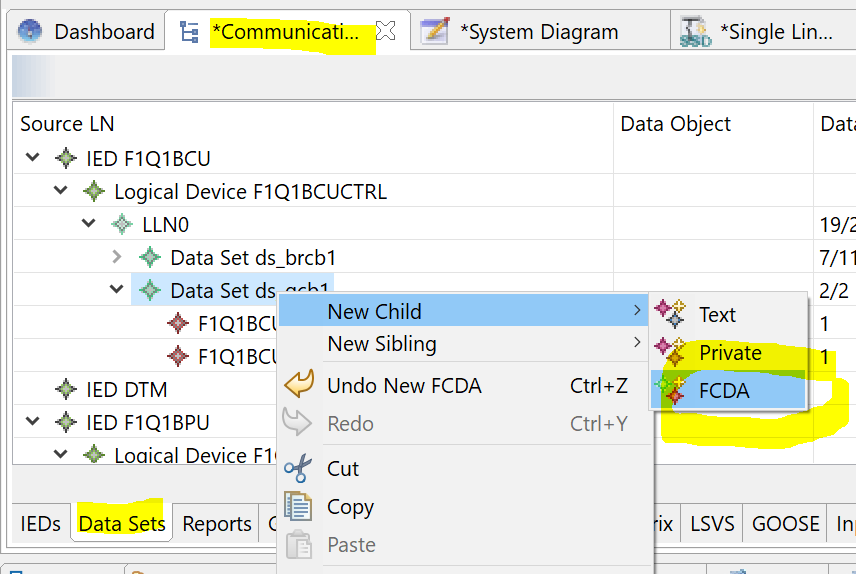
In the Communication Editor select the Data Sets tab, then right click on th eData Set you want to edit and open the FCDA menu.
In this dialog you can:
-
Add/Remove FCDs and FCDAs to the Data Set
-
Change the order of Data Set Entries
-
Save and Reload DataSets.
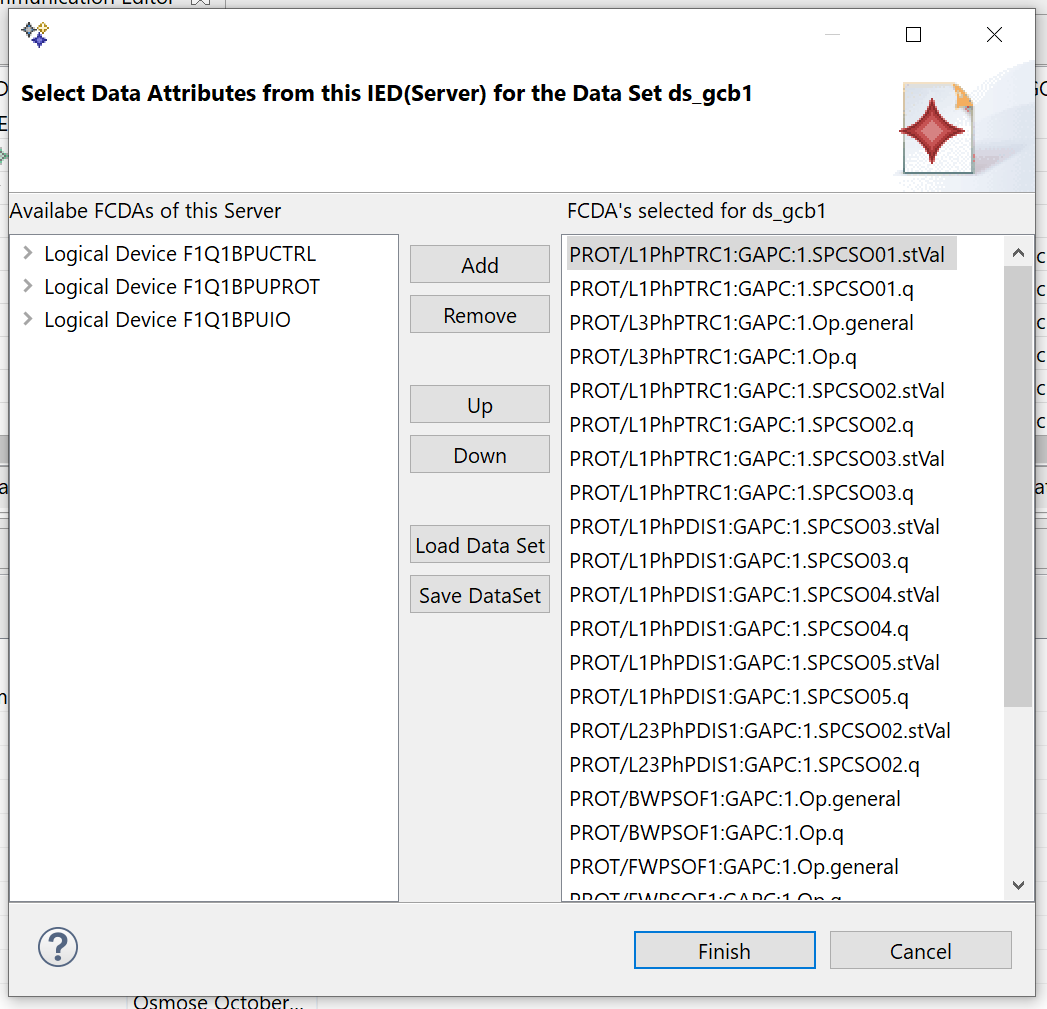
Be aware: When reloading a saved Data Set there is no check against the underlying Data Model.