

Before configuring the communication between devices in the respective SCL models, ensure that the following conditions are met:
-
The specification contains communication between logical nodes — either via applications (GOOSE, SV) or via the MMS Reporting Inputs dialog.
-
All virtual IEDs assigned to functions that have specified communication must be implemented by actual IEDs.
-
The implementing IEDs must be connected to a subnetwork in the System Diagram.
Signals in functions that are not assigned to an implemented IED will be ignored during communication generation.
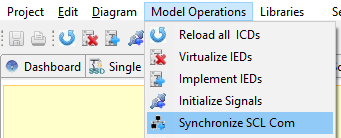
If these conditions are met, generate the SCL communication using Model Operations → Synchronize SCL Com.
Clicking Proceed in the Communication Configuration dialog will generate the SCL communication.
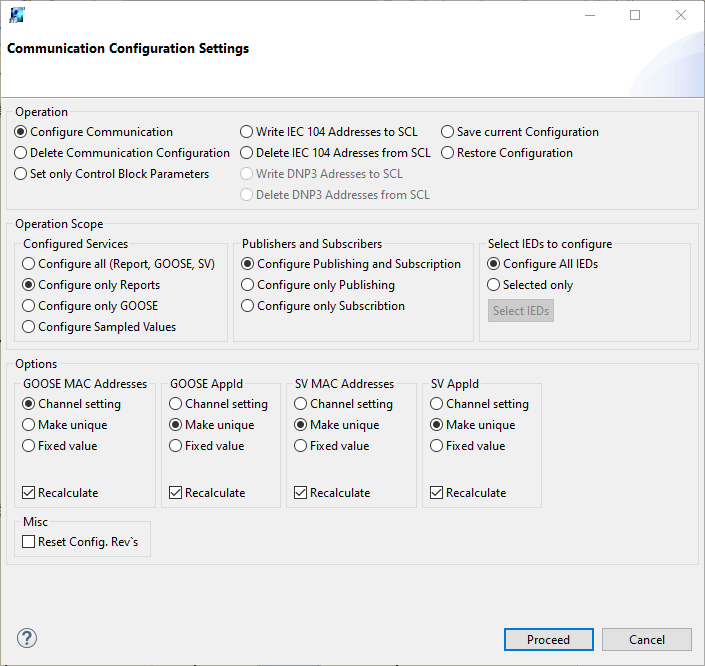
For more information about the dialog options, see Compile IEC61850 communication in the Technical Reference.
To see the results of the communication generation, open the Communication Editor from the Dashboard.